QR Codes on Printed Materials in Jordan: Make Every Scan Useful
A customer may keep your business card but put off typing your phone number or searching for your business online. A QR code can make that next step easier, taking them to the contact option or information they need. For printed materials in Jordan, a tidy-looking code is only part of the job: its destination must be useful, and the finished print must scan successfully. Whether you are preparing business cards in Amman or stickers and bags for a business in Zarqa, start by deciding what should happen after the scan.
Give Each Code One Clear Purpose
A QR code should serve a specific purpose. Does the person need to contact you, find your location, or browse product options? A clear task helps you choose the destination, accompanying text, and placement. On a small printed item, several codes side by side can confuse the reader and take space away from essential information.
- On a business card: open a conversation with your business number or a concise contact page.
- On a shopping bag: take customers to a page that helps them order again.
- On a product sticker: provide additional information about that particular product.
- On a wedding invitation: open the venue location or a page with event details.
If you genuinely need several options, the code can lead to a simple page with clearly labelled buttons. Put the option most relevant to the printed item first, and avoid sending visitors to a long menu with no obvious starting point.
Check the Destination Before Adding the Code
Open the link on a phone without relying on your personal account, and check that visitors can access the content without special permissions. Review the contact number, place name, and any linked files. A link that works for the business owner may ask customers to sign in, particularly when shared files have restricted access settings.
Consider how long the printed item will remain in use. A business card may outlast a temporary offer, so a stable destination is preferable. A code containing a direct URL cannot have that encoded URL replaced after printing. A redirect URL you control may let you change the onward destination, provided you keep it running. If you use an external service, check its link availability terms before approving the print quantity.
Match Placement to How the Item Is Used
Business Cards and Invoices
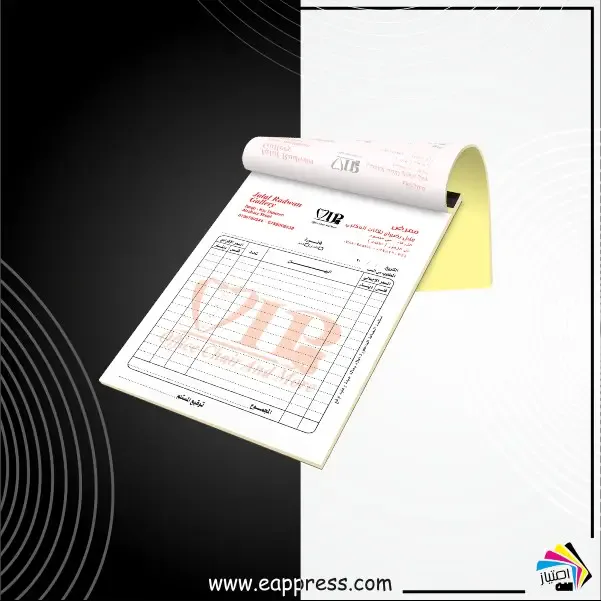
On a business card, place the code beside a short invitation such as “Scan to save our contact details,” while keeping the name, role, and phone number readable on their own. Discuss placing it on one side of a matte business card to avoid crowding the information. On invoices, a code can provide a way to contact you about an order. Keep it separate from invoice numbers, totals, and other codes with different functions.
Stickers and Bags
Choose a reasonably flat area away from folds, closures, and handles. A code that looks clear before packing may become creased or curved in use. When preparing labels and stickers, explain the container shape and application position. Testing the code on a flat sheet alone will not reveal what happens when it wraps around a small container.
Wedding Invitations
Place a location code in an uncluttered area of the invitation with a label such as “Venue location.” Print the venue name and a short address beside it, and check the arrival point on the map rather than relying on the place name alone. If the invitation includes a fold or inner envelope, make sure the code is visible when opened and does not sit on the fold.
Leave Room for Reading and Scanning
Use clear contrast between the code and its background, such as a dark code on a plain, light area. Keep the surrounding space free of decorative elements and lettering, and preserve the code’s proportions when resizing it. Do not judge its size from the design screen alone. What matters is whether its details remain distinct in print at the distance from which people will scan it.
Adding a logo inside the code or placing it over a busy image can make scanning harder. To match your brand identity, start by styling the surrounding frame and label, then carefully test any changes within the code itself. Keep the invitation accurate: “Browse the options” fits better than “Order now” when the destination displays products but offers no direct ordering function.
Test the Full Experience Before Print Approval
A useful test starts with holding the printed item and ends with the user completing the intended task. Request an actual-size sample for review, and try the proposed material and finish when a suitable sample is available. Reflections and curved surfaces can affect scanning, so test the placement in practice before approving the design.
- Scan the code with more than one phone under lighting similar to its intended setting.
- Check that the correct destination opens and its buttons work on a phone.
- Test the bag after filling it and the sticker after applying it in the proposed position.
- Review the accompanying label and link after the final design change.
- Keep the approved design and a record of the destination link for future checks.
Keep an Alternative Contact Method Visible
Some people may prefer not to scan, or may lack a suitable internet connection at the time. Print the phone number or essential address on the item itself. When adding a code to custom paperboard bags, make it a useful addition to your business name and contact details. Check the link periodically, especially before reprinting the design or changing your contact number.
To plan business cards, stickers, bags, or wedding invitations with QR codes, contact Emtiaz Al Fan printing company in Russeifa, Zarqa, Jordan. Send the item type, dimensions, quantity, and destination link to discuss the design and order details for your business in Amman or any other Jordanian city. Message us on WhatsApp at +962 7 9821 5060.
Frequently Asked Questions
Can I change a QR code’s destination after printing business cards?
What size should a printed QR code be?
Can a QR code open a WhatsApp conversation?
What should I send the printing company for a project with QR codes?
Need printing or advertising services in Jordan?
Contact EAPPress today for a free quote on your project in Amman and across Jordan.